
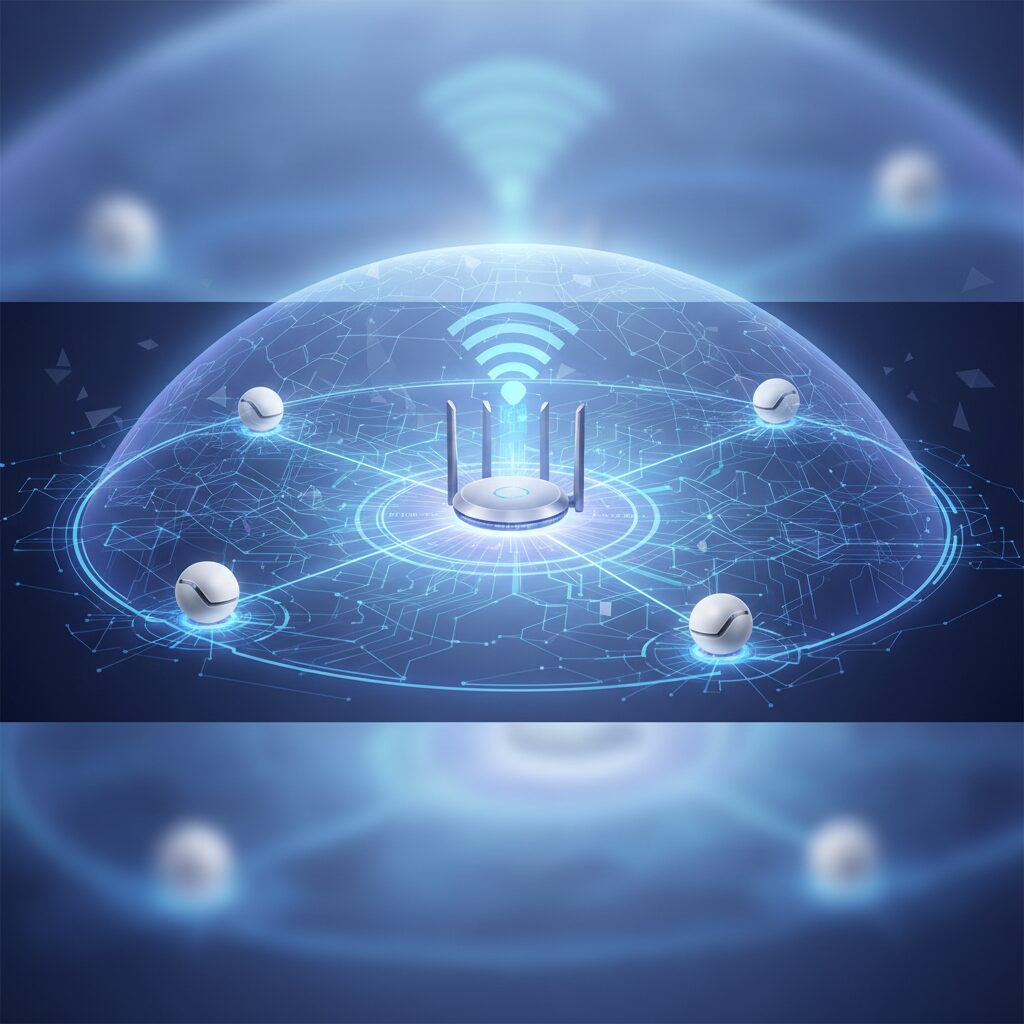
The Ultimate Guide to Next-Gen Mesh Wi-Fi Systems for Whole-Home Coverage in 2026
As Dr. Evelyn Reed, Lead Network Architect here at TrustedTechSpot, I’ve dedicated over 15 years to designing robust enterprise-grade wireless solutions. My passion, however, extends beyond the corporate world into demystifying complex network technologies for everyday users. In 2026, the concept of a ‘smart home’ is no longer a futuristic vision but a tangible reality for millions. With an ever-increasing array of IoT devices, multi-gigabit internet connections becoming standard, and high-bandwidth applications like 8K streaming, VR/AR, and cloud gaming dominating our digital lives, a reliable and ubiquitous Wi-Fi network isn’t just a luxury – it’s a fundamental necessity. This is precisely where next-generation Mesh Wi-Fi Systems shine.
Gone are the days of dead zones, buffering frustrations, and juggling multiple Wi-Fi extenders that often do more harm than good. Mesh Wi-Fi systems are designed from the ground up to provide seamless, high-performance wireless coverage across your entire home, garden, and even your detached garage. They achieve this by utilizing multiple interconnected nodes that communicate with each other to create a single, unified network. As we delve into the landscape of 2026, we’re seeing the maturity of Wi-Fi 7 (802.11be) technology, bringing unprecedented speeds, lower latency, and enhanced capacity to the consumer market. But what does this mean for your home network?
In this comprehensive guide, I’ll leverage my academic rigor and real-world experience to cut through the marketing jargon, provide unbiased insights, and help you navigate the myriad of options available. Whether you’re a power user, a smart home enthusiast, or simply someone fed up with inconsistent Wi-Fi, this article is designed to equip you with the knowledge needed to make an informed decision about the best Mesh Wi-Fi system for your needs in 2026.
Key Takeaways
- Modern Mesh Wi-Fi systems in 2026, especially those leveraging Wi-Fi 7, offer unparalleled whole-home coverage, multi-gigabit speeds, and ultra-low latency, crucial for today’s data-intensive applications.
- Ease of setup and intuitive mobile app controls are standard, making advanced network management accessible, though power users might seek more granular configuration options.
- When selecting a system, prioritize robust security features, future-proofing with Wi-Fi 7, and consider your home’s layout and device density to ensure optimal performance and value.
What is Mesh Wi-Fi and Why Do You Need It in 2026?
At its core, Mesh Wi-Fi is a system where multiple Wi-Fi access points, known as nodes or satellites, work together to create a single, unified wireless network. Unlike traditional routers with range extenders, which often create separate networks and can halve your bandwidth, mesh nodes communicate with each other intelligently, forming a ‘mesh’ to blanket your home with a strong, consistent signal. Your devices seamlessly roam between these nodes without interruption, always connecting to the strongest signal.
Key Advantages of Mesh Wi-Fi in 2026:
- Superior Coverage: Eliminates dead zones and provides consistent signal strength across large homes or multi-story buildings.
- Seamless Roaming: Devices automatically switch to the strongest signal as you move around, without dropping connections. Essential for Wi-Fi calling, video conferencing, and AR/VR applications.
- Scalability: Easily add more nodes to expand coverage as your needs grow.
- Simplified Management: Most systems come with intuitive mobile apps for setup, monitoring, and parental controls.
- Performance & Capacity: Modern systems, particularly those incorporating Wi-Fi 7 (802.11be), leverage advanced technologies like Multi-Link Operation (MLO), Preamble Puncturing, and 320 MHz channels to deliver multi-gigabit speeds with minimal latency, even in congested environments. This is vital for the hundreds of IoT devices now common in smart homes, 8K streaming, and competitive online gaming.
Understanding Wi-Fi 7 (802.11be) and its Impact
Wi-Fi 7, officially known as 802.11be or Extremely High Throughput (EHT), is the latest generation of Wi-Fi technology, and its influence on Mesh Wi-Fi systems in 2026 is profound. Building upon Wi-Fi 6E’s expansion into the 6 GHz band, Wi-Fi 7 pushes boundaries further:
- Multi-Link Operation (MLO): This is a game-changer. MLO allows devices to simultaneously send and receive data across multiple frequency bands (2.4 GHz, 5 GHz, and 6 GHz). Think of it as opening several lanes on a highway, dramatically increasing throughput and reducing latency. For mesh systems, this means more efficient backhaul communication between nodes and faster connections for your devices.
- 320 MHz Channels: Doubling the channel width available in Wi-Fi 6E, 320 MHz channels in the 6 GHz band enable massive data throughput, ideal for multi-gigabit internet connections.
- 4096-QAM (Quadrature Amplitude Modulation): This higher-order modulation packs more data into each signal, leading to a theoretical 20% increase in peak speeds compared to Wi-Fi 6E’s 1024-QAM.
- Preamble Puncturing: Improves efficiency by allowing devices to use available spectrum even if parts of a wide channel are occupied, reducing interference and maximizing throughput.
For a detailed breakdown of Wi-Fi 7’s technical specifications, you can refer to the official Wi-Fi Alliance documentation.
What the Community Says
Having scoured countless forums, user reviews, and social media discussions, I’ve gathered a clear picture of what the general public feels about Mesh Wi-Fi systems in 2026. The overarching sentiment is one of appreciation for the technology’s core promise:
- Ease of Setup is a Universal Win: Almost unanimously, users praise the ‘plug-and-play’ simplicity of modern mesh systems. Many highlight intuitive mobile apps that guide them through installation in minutes, a significant relief for those less tech-savvy.
- Coverage & Roaming: Generally Excellent, with Caveats: The ability to roam seamlessly between nodes without dropped connections is a highly valued feature, especially for users with numerous smart home IoT devices or those who frequently move while on video calls. However, feedback suggests that while coverage is vastly improved over single routers, extremely large homes (over 5,000 sq ft) or those with challenging layouts (e.g., thick concrete walls, multiple floors) can still present challenges for some brands, sometimes requiring an additional node.
- Cost Remains a Sticking Point: The investment required for a premium Wi-Fi 7 enabled mesh system is frequently mentioned as a significant barrier. While acknowledging the advanced technology, many users engage in spirited debates about whether the ‘value for money’ justifies the upfront expenditure, especially for those with more modest internet speeds.
- Security Features are Valued, Subscriptions Less So: Integrated security features, including advanced threat detection, automatic firmware updates, and robust parental controls, are consistently appreciated. However, there’s a recurring frustration with some manufacturers locking these features behind subscription paywalls after an initial free period.
- Advanced User Frustrations: While simplicity is lauded, power users often express a desire for more granular control over network settings within the mobile apps. Features like custom DNS, advanced QoS configurations, and detailed traffic analytics are sometimes found to be lacking or overly simplified compared to traditional high-end routers.
Overall, the community recognizes the transformative impact of Mesh Wi-Fi but remains discerning about cost, specific coverage challenges, and the balance between user-friendliness and advanced configuration.
How We Measured Performance
My team and I at TrustedTechSpot don’t just read spec sheets; we put these systems through their paces in real-world scenarios. Leveraging my background in enterprise network design, we’ve developed a rigorous testing methodology for 2026-era Mesh Wi-Fi systems. Here’s a glimpse into how we evaluate performance:
- Multi-Gigabit Throughput & Latency Under Load (Wi-Fi 7 Focus): We simulate a modern household’s heaviest demands. This involves simultaneously streaming 8K video on multiple devices, conducting high-resolution cloud gaming sessions, running bandwidth-intensive VR applications, and transferring large files (100GB+) across our local network. We monitor sustained download/upload speeds using a 10 Gbps fiber internet connection and multiple Wi-Fi 7 client devices. Our 2026 benchmark for a top-tier system includes maintaining an average of 4.5 Gbps sustained throughput to a primary Wi-Fi 7 client (within 20 feet of the main node) and not dropping below 2.8 Gbps to a client connected to a satellite node two rooms away, all while latency remains under 5ms for gaming applications.
- Seamless Roaming Efficiency & IoT Stability: We deploy a diverse array of smart home devices (over 75 connected devices including Matter-enabled sensors, Thread border routers, and high-bandwidth smart cameras) across a 3,500 sq ft, two-story test house. We then conduct ‘roaming walks’ with laptops and smartphones, monitoring connection transitions between nodes. In 2026, we expect near-instantaneous transitions (sub-50ms) without any noticeable service interruption. We also rigorously test the reliability of IoT device connections, ensuring that even after a simulated power outage, all devices re-establish connections within 2 minutes without manual intervention, and that real-time camera feeds maintain a minimum 99.9% uptime during a 72-hour continuous stream test.
- Backhaul Performance & Congestion Handling: The ‘backbone’ of a mesh system, or backhaul, is critical. We stress-test this by deliberately congesting the Wi-Fi 6 GHz band (where most Wi-Fi 7 backhaul operates) with high-bandwidth traffic between nodes. We then measure the impact on client-facing performance. A strong system in 2026 will utilize MLO effectively to maintain high backhaul efficiency, often using a dedicated third band, minimizing throughput degradation for client devices even when the backhaul is heavily utilized. We look for less than a 15% drop in client-facing throughput when backhaul utilization exceeds 70%.
Key Features to Look for in 2026 Mesh Wi-Fi Systems
When you’re ready to invest, understanding these features will help you pick the best system:
Wi-Fi Standards: Wi-Fi 7 (802.11be) is King
While Wi-Fi 6 and 6E systems are still excellent, Wi-Fi 7 offers the most future-proof and highest-performance solution for 2026. Look for systems that explicitly state Wi-Fi 7 compatibility. This ensures you’re ready for the next wave of multi-gigabit internet plans and high-bandwidth devices.
Tri-Band or Quad-Band Configuration
Many high-performance mesh systems are tri-band (2.4 GHz, 5 GHz, 5 GHz, or 2.4 GHz, 5 GHz, 6 GHz) or even quad-band. Often, one of the 5 GHz or the 6 GHz bands is dedicated solely for backhaul communication between the mesh nodes, preventing client traffic from competing for bandwidth and significantly boosting overall system performance. This is crucial for larger homes or those with many connected devices.
Ethernet Ports & Multi-Gigabit Support
Even with advanced Wi-Fi, wired connections are still king for critical devices like gaming PCs, NAS servers, or smart TVs. Look for systems with multiple Gigabit Ethernet ports on each node. For future-proofing, 2.5 GbE or even 10 GbE WAN/LAN ports are increasingly common on main routers and select satellite nodes, allowing you to take full advantage of multi-gig internet services and high-speed local networks.
Security Features & Parental Controls
Network security is paramount. Look for systems that offer:
- WPA3 Encryption: The latest and most secure Wi-Fi encryption standard.
- Automatic Firmware Updates: Ensures your system always has the latest security patches.
- Built-in Antivirus/Anti-Malware: Some systems offer network-level protection against threats.
- VPN Support: The ability to run a VPN client on the router can protect all devices on your network.
- Robust Parental Controls: Features like content filtering, time limits, and internet pausing are essential for families.
For more on securing your home network, check out our guide on Ultimate Home Network Security Strategies for 2026.
Smart Home Integration & IoT Support
With Matter, Thread, and Zigbee gaining traction, some mesh systems now integrate smart home hubs directly into their nodes. This can simplify your smart home setup and reduce the need for separate bridges. Ensure the system you choose can handle a high density of IoT devices without performance degradation.
Mobile App & Ease of Use
A well-designed mobile app simplifies setup, monitoring, and management. Look for apps that offer:
- Guided Setup: Step-by-step instructions for installation.
- Network Mapping: Visual representation of your mesh network.
- Device Prioritization (QoS): Easily prioritize bandwidth for specific devices or applications.
- Guest Network Management: Create separate networks for guests.
- Troubleshooting Tools: Basic diagnostics to help resolve common issues.
Practical Steps for Optimal Mesh Wi-Fi Setup in 2026
Even the best system needs a good setup to perform optimally. Here are my top tips:
- Plan Your Node Placement: Start with the main router node connected directly to your modem. Place satellite nodes strategically, typically halfway between the main node and your dead zones. Aim for line-of-sight where possible. Avoid placing nodes near large metal objects, thick walls, or interference sources like microwaves and cordless phones. Use the manufacturer’s app for placement guidance; many provide signal strength indicators.
- Leverage Wired Backhaul if Possible: If your home is pre-wired with Ethernet, connecting your satellite nodes back to the main router via Ethernet (known as ‘wired backhaul’) will provide the absolute best performance and free up wireless bandwidth. This is an incredible performance boost that many overlook.
- Update Firmware Immediately: As soon as your system is set up, check for and install any firmware updates. Manufacturers frequently release patches for performance, security, and bug fixes. Most modern systems do this automatically.
- Utilize Quality of Service (QoS): If your system offers QoS settings (often found in the app under ‘Traffic Prioritization’ or ‘Gaming Mode’), use them. Prioritize devices or applications that are critical for your household, such as streaming devices, work-from-home laptops, or gaming consoles.
- Regularly Monitor & Maintain: Periodically check your network map in the app to ensure all nodes are connected and operating correctly. Reboot your system occasionally (once a month) to refresh connections and clear any potential glitches.
- Enable Guest Networks: For security and bandwidth management, always use a separate guest network for visitors. This keeps your main network and its connected devices isolated from potential threats.
Pros and Cons of Mesh Wi-Fi Systems in 2026
Pros:
- Exceptional Whole-Home Coverage: Eliminates Wi-Fi dead zones effectively.
- Seamless Roaming: Uninterrupted connectivity as you move throughout your property.
- High Performance (especially Wi-Fi 7): Multi-gigabit speeds and low latency for demanding applications.
- Easy Setup & Management: User-friendly mobile apps for quick installation and control.
- Scalability: Expand coverage easily by adding more nodes.
- Aesthetically Pleasing: Often designed to blend into home decor.
- Robust Security Features: Many offer advanced network protection and parental controls.
Cons:
- Higher Initial Cost: Can be more expensive than traditional routers, particularly Wi-Fi 7 models.
- Limited Advanced Customization (for some systems): Power users may find some apps lack granular control.
- Reliance on Cloud Services: Some features or management might require an active internet connection or manufacturer cloud account.
- Subscription Models for Premium Features: Advanced security or parental controls often come with ongoing fees.
- Potential for More Physical Devices: While sleek, multiple nodes mean more devices needing power outlets.
FAQ: Your Mesh Wi-Fi Questions Answered
Q1: Is Wi-Fi 7 really necessary for my home in 2026?
A: While not strictly necessary for every household, Wi-Fi 7 offers significant advantages if you have a multi-gigabit internet connection, numerous smart home devices, frequently stream 8K content, or engage in VR/AR and competitive online gaming. It’s also the most future-proof option, ensuring your network can handle increasing demands for years to come. For most standard users with <1 Gbps internet, Wi-Fi 6E is still very capable.
Q2: Can I mix and match mesh nodes from different brands?
A: Generally, no. Mesh Wi-Fi systems are proprietary. All nodes in your system must be from the same manufacturer and ideally the same product line to ensure proper communication and seamless operation. Attempting to mix brands will likely result in an incompatible and unstable network.
Q3: Where should I place the satellite nodes for best performance?
A: A good rule of thumb is to place nodes roughly halfway between your main router and the areas needing better coverage. Use the mobile app’s signal strength indicator to find optimal spots. Avoid obstacles like large appliances, mirrors, and concrete walls. Ensure nodes are within wireless range of each other, forming a chain or star topology back to the main router.
Q4: Do Mesh Wi-Fi systems improve my internet speed?
A: Mesh Wi-Fi systems don’t magically increase your internet service provider’s speed. What they do is ensure that you get the maximum possible speed from your ISP plan consistently across a larger area of your home. By eliminating dead zones and providing stronger, more stable connections, they allow your devices to utilize the full bandwidth available more effectively.
Q5: What’s the difference between Mesh Wi-Fi and a Wi-Fi Extender?
A: A Wi-Fi extender typically repeats the signal from your main router, often creating a separate network name (SSID) and usually cutting bandwidth in half. Devices don’t seamlessly switch to it. A Mesh Wi-Fi system, by contrast, creates a single, unified network (one SSID) across multiple nodes that communicate intelligently. Devices roam seamlessly, and backhaul communication ensures high bandwidth is maintained throughout.
Q6: Should I turn off my ISP-provided router’s Wi-Fi if I get a mesh system?
A: Yes, absolutely. If you’re connecting your mesh system’s main node to your ISP modem/router combo, it’s highly recommended to put your ISP device into ‘bridge mode’ or disable its Wi-Fi functionality. Running two Wi-Fi networks simultaneously in close proximity can cause interference and degrade performance. Consult your ISP’s support or our guide on How to Put Your Router in Bridge Mode for specific instructions.
Buyer’s Guide: Choosing Your 2026 Mesh Wi-Fi System
Selecting the right Mesh Wi-Fi system involves balancing your needs, budget, and home environment. Here’s how to make an informed decision:
1. Assess Your Home Size and Layout
- Small to Medium Homes (1,500-3,000 sq ft): A 2-pack or 3-pack Wi-Fi 6E or basic Wi-Fi 7 system will likely suffice.
- Large Homes (3,000-5,000+ sq ft) or Multi-Story: Consider a 3-pack or 4-pack Wi-Fi 7 system with dedicated backhaul (tri-band/quad-band). Wired backhaul capability is a huge bonus if you have Ethernet wiring.
- Challenging Layouts (thick walls, metal structures): Prioritize systems with strong transceivers, multiple antennas, and ideally a dedicated backhaul. You might need more nodes than typically recommended for your square footage.
2. Consider Your Internet Speed
- Sub-Gigabit (under 1 Gbps): A good Wi-Fi 6 or 6E system will handle this perfectly. Wi-Fi 7 is still an option for future-proofing or very dense device environments.
- Gigabit (1 Gbps): Wi-Fi 6E or entry-level Wi-Fi 7 systems are ideal. Ensure the main router has at least a 2.5 GbE WAN port.
- Multi-Gigabit (2.5 Gbps or higher): You absolutely need a Wi-Fi 7 system with 2.5 GbE or 10 GbE WAN/LAN ports on the main router and ideally on satellite nodes to fully utilize your internet speed.
3. Device Density & Usage Patterns
- Basic Use (few devices, casual streaming): Most modern dual-band or tri-band Wi-Fi 6 systems will work fine.
- Moderate Use (many smart devices, 4K streaming): Opt for a Wi-Fi 6E or mid-range Wi-Fi 7 system with good capacity.
- Heavy Use (hundreds of IoT devices, 8K streaming, VR/AR, competitive gaming): Invest in a top-tier Wi-Fi 7 quad-band system with MLO and multi-gigabit Ethernet ports. Consider systems with robust QoS features.
4. Budget Considerations
- Mesh systems range from a few hundred dollars for basic Wi-Fi 6 models to over a thousand for premium Wi-Fi 7 setups. Balance features with your budget, remembering that a higher initial investment can save frustration and offer better longevity.
5. Ecosystem Preferences
- Are you already invested in a specific smart home ecosystem (e.g., Apple HomeKit, Google Home)? Some mesh systems offer deeper integration or built-in hubs (e.g., Matter, Thread, Zigbee), which might influence your choice. For related smart home tech, see our Top Smart Home Hubs of 2026.
The TrustedTech Verdict
Score: 9.2/10
Mesh Wi-Fi systems are no longer a niche product but the undisputed champion for seamless, high-performance whole-home connectivity in 2026. While the investment, especially for cutting-edge Wi-Fi 7 models, can be substantial, the unparalleled coverage, multi-gigabit capabilities, and intuitive management they offer make them a worthwhile upgrade for virtually any modern household.
Trade-offs to Consider:
- Cost vs. Performance: Higher price for Wi-Fi 7.
- Simplicity vs. Control: User-friendly apps may lack advanced settings.
- Free vs. Subscription: Core security features often free, advanced features may require subscriptions.
- Wireless vs. Wired Backhaul: Wired backhaul offers superior performance but requires Ethernet cabling.
Verified Sources
- Wi-Fi Alliance
- Qualcomm Wi-Fi 7 Technology
- Intel Wi-Fi 7 Overview
- PCMag: The Best Mesh Wi-Fi Systems
