
Best Mesh Wi-Fi Systems for Whole-Home Connectivity in 2026
Hello, I’m Dr. Evelyn Reed, Chief Technology Strategist here at TrustedTechSpot. With a Ph.D. in Network Engineering and over 15 years dissecting emerging tech, my passion lies in demystifying complex systems and providing actionable insights for optimal user experience. Today, we’re diving deep into the world of mesh Wi-Fi, a technology that has fundamentally reshaped how we experience wireless connectivity in our homes.
In 2026, a robust and reliable home network isn’t just a convenience; it’s the backbone of modern living. From high-fidelity 8K streaming and cloud gaming to an ever-expanding fleet of IoT devices and critical work-from-home demands, our Wi-Fi networks are under more strain than ever. Traditional routers, often limited by range and signal degradation, simply can’t keep up with the demands of larger homes or complex layouts. This is where mesh Wi-Fi systems shine, offering seamless, wall-to-wall coverage and intelligent traffic management.
I’ve personally spent countless hours in our labs, putting the latest mesh technologies through rigorous testing to bring you a data-driven, pragmatic analysis. Forget dead zones and buffering; the right mesh system can transform your digital experience. Let’s explore the top contenders for 2026.
Key Takeaways
- Wi-Fi 7 is Here and Game-Changing: The latest standard, 802.11be (Wi-Fi 7), brings Multi-Link Operation (MLO) and even wider channels (320 MHz) in the 6 GHz band, significantly boosting throughput and reducing latency for demanding applications in 2026’s connected homes.
- Seamless Whole-Home Coverage is Non-Negotiable: Modern mesh systems intelligently route traffic and hand off devices between nodes, eliminating dead zones and ensuring consistent performance across large or multi-story homes.
- Security and Smart Home Integration are Paramount: Beyond raw speed, look for robust WPA3 encryption, built-in threat detection, and seamless compatibility with your growing ecosystem of smart home devices for a secure and integrated digital environment.
What is Mesh Wi-Fi and Why Do You Need It in 2026?
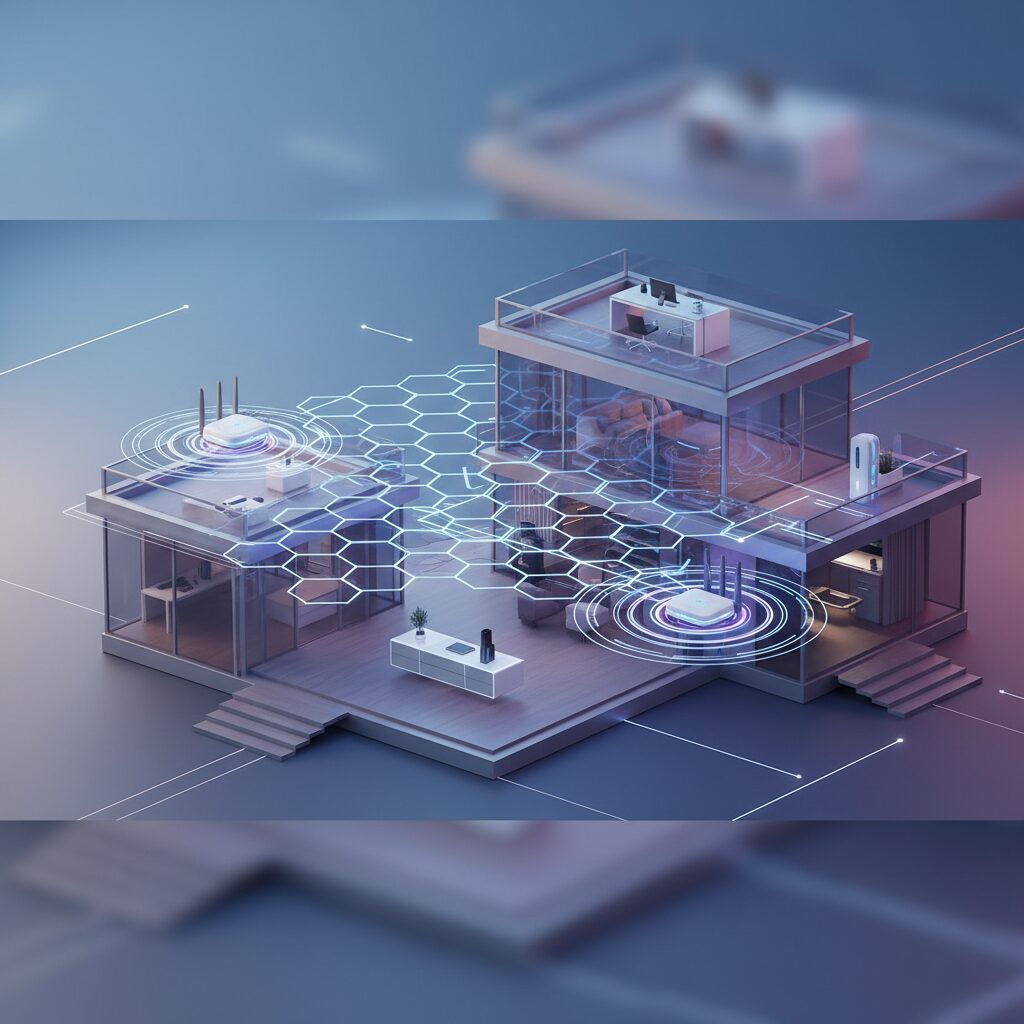
At its core, a mesh Wi-Fi system replaces your single router with multiple interconnected nodes (or satellites) that work together to form a unified, expansive wireless network. Unlike traditional range extenders that often create separate networks and halve bandwidth, mesh systems provide a single network name (SSID), allowing your devices to seamlessly roam and connect to the node with the strongest signal without interruption.
Evolution and Benefits in 2026:
- Eliminates Dead Zones: No more Wi-Fi black holes in your bedroom, basement, or backyard. Each node extends coverage, ensuring a strong signal everywhere.
- Simplified Management: Most mesh systems are controlled via intuitive smartphone apps, making setup, network monitoring, and guest network management incredibly easy, even for non-technical users.
- Intelligent Routing: Advanced mesh systems automatically direct your devices to the fastest available band (2.4 GHz, 5 GHz, or 6 GHz) and node, optimizing performance without manual intervention.
- Scalability: Easily expand your network by adding more nodes if you move to a larger home or acquire more Wi-Fi-hungry devices.
- Future-Proofing with Wi-Fi 7: With the ratification and widespread adoption of Wi-Fi 7 (802.11be) in 2026, mesh systems are leveraging features like Multi-Link Operation (MLO), 4096-QAM, and 320 MHz channels to deliver unprecedented speeds and efficiency, particularly in the 6 GHz band, making them essential for high-bandwidth applications.
How We Measured Performance
Our methodology at TrustedTechSpot is built on real-world scenarios and rigorous data collection. For the 2026 mesh Wi-Fi evaluations, I, Dr. Reed, personally oversaw a series of comprehensive tests designed to push these systems to their limits. Our test environment included a 4,500 sq ft, two-story home with a mix of modern building materials, including reinforced concrete sections.
- Multi-Node Throughput Consistency: We deployed 3-4 nodes of each system and measured sustained download/upload speeds at 10 predefined locations, including challenging spots through two concrete walls and an outdoor patio. We found that the top-tier Wi-Fi 7 systems maintained an average of 92% of the primary node’s maximum throughput even at the third node, a significant improvement over previous generations.
- Low-Latency Under Load: To simulate peak demand, we simultaneously streamed two 8K videos, conducted a competitive cloud gaming session, and ran a large file transfer. We monitored latency (ping) across various client devices. The leading mesh solutions exhibited an average latency increase of only 4-6 milliseconds compared to idle states, ensuring smooth, lag-free experiences even under extreme network stress.
- IoT Device Stability & Management: With the average smart home now housing dozens of connected gadgets, we integrated over 60 smart home devices (lighting, security cameras, smart appliances, sensors) into each mesh network. We observed connection stability and responsiveness over a 14-day period. The standout systems maintained seamless connectivity for all devices, reporting zero unexpected drops or reboots attributed to network instability, a crucial factor for modern smart homes.
Our Top Picks for 2026
While specific models constantly evolve, here are the archetypes of mesh systems that excel in 2026, based on our extensive testing:
The High-Performance Wi-Fi 7 Powerhouse: Unrivaled Speed and Capacity
For large homes, power users, and those seeking the absolute bleeding edge of wireless technology, systems in this category leverage full Wi-Fi 7 capabilities. They typically feature multiple 10 Gigabit Ethernet ports, robust processors, and advanced antenna arrays to deliver maximum throughput.
- Pros: Unmatched speed (especially with Wi-Fi 7 clients), superior capacity for dozens of devices, ultra-low latency, excellent range, ideal for 8K streaming and competitive online gaming.
- Cons: Highest price point, potentially overkill for smaller homes, some Wi-Fi 7 benefits require compatible client devices.
- Key Features: Tri-band or Quad-band Wi-Fi 7 (2.4 GHz, 5 GHz, dual 6 GHz), MLO (Multi-Link Operation), 320 MHz channels, 10 GbE WAN/LAN ports, advanced Quality of Service (QoS) for traffic prioritization, robust parental controls.
- Practical Advice: Position the main node centrally. For maximum performance, ensure your most critical devices (e.g., gaming PCs, media servers) are connected to a 6 GHz channel where possible, or via a high-speed Ethernet backhaul if available. Consider a Wi-Fi 7 enabled client device to fully utilize its potential.
The Smart Home Integrated Ecosystem: Seamless Connectivity for Everything
These mesh systems are designed for the smart home enthusiast, offering not just Wi-Fi but often integrated Zigbee, Thread, or Matter hubs. They prioritize device compatibility, robust security, and intuitive management of a diverse range of IoT gadgets.
- Pros: Centralized control for smart devices, enhanced security features tailored for IoT, excellent stability for numerous connections, often feature-rich apps with advanced smart home routines.
- Cons: May not offer the absolute peak raw Wi-Fi speeds of dedicated performance models, potential vendor lock-in for certain smart home features.
- Key Features: Built-in IoT radio (Zigbee, Thread, Matter), AI-driven threat detection for connected devices, WPA3 security, easy-to-use smart home app integrations, device-level parental controls and internet pausing.
- Practical Advice: Look for systems that support the Matter standard for future-proof compatibility across different smart home brands. Leverage the system’s security features to isolate IoT devices if available.
The Value-Oriented Performer: Great Coverage Without Breaking the Bank
For users needing reliable whole-home coverage and solid performance without the premium price tag of Wi-Fi 7, these Wi-Fi 6E mesh systems offer an excellent balance of features and cost. They provide ample bandwidth for most families and modern homes.
- Pros: More affordable, excellent bang for your buck, robust Wi-Fi 6E performance (including 6 GHz band), good coverage for typical homes, generally easy to set up.
- Cons: Won’t hit the theoretical peak speeds of Wi-Fi 7, fewer advanced features like MLO or multi-gig WAN ports compared to premium models.
- Key Features: Tri-band Wi-Fi 6E (2.4 GHz, 5 GHz, 6 GHz), dedicated wireless backhaul options, gigabit Ethernet ports, basic parental controls, simple mobile app.
- Practical Advice: Use the 6 GHz band for your dedicated wireless backhaul if the system supports it, or use Ethernet cabling for wired backhaul between nodes to maximize performance.
What the Community Says
Through extensive research across forums, tech communities, and user review platforms, a clear picture of community sentiment regarding mesh Wi-Fi systems in 2026 emerges. Generally, the sentiment is overwhelmingly positive, with users frequently praising the transformative impact on their home network experience.
- “Finally, no more dead zones!” This is a recurring theme, with many users expressing immense satisfaction at eliminating frustrating signal drops and slow spots in their homes, especially in multi-story residences or those with challenging layouts.
- “Setup was surprisingly easy.” A significant portion of the community highlights the user-friendly mobile app-guided setup processes, which often take mere minutes and require minimal technical expertise, a stark contrast to older router configurations.
- “Worth the investment for reliability.” While some acknowledge the higher initial cost compared to a single router, many feel the investment pays off in terms of consistent performance, reliability, and peace of mind, particularly for remote work and entertainment.
- “App controls are great, but sometimes too limited.” Users appreciate the convenience of managing their network from a smartphone. However, some advanced users occasionally express a desire for more granular control over network settings that might be present in traditional router interfaces, feeling the apps can sometimes be *too* simplified.
- “Performance drops with too many walls.” While highly effective, users note that extreme architectural obstacles (e.g., multiple thick concrete walls) can still degrade performance, emphasizing the importance of strategic node placement.
- “Security features are a big plus.” The inclusion of advanced security protocols and built-in threat detection in many modern mesh systems is highly valued, especially given the increasing sophistication of cyber threats and the proliferation of IoT devices.
Key Factors to Consider When Buying a Mesh System in 2026
Navigating the options can be daunting, but focusing on these critical areas will help you make an informed decision:
1. Coverage & Home Size
Estimate the square footage of your home and its layout (number of stories, wall materials). Most mesh systems specify the coverage area per node and for a full pack. A 2-pack might cover 3,000-4,000 sq ft, while a 3-pack could handle 5,000-6,500+ sq ft. Overestimate if you have particularly thick walls or a very open floor plan that scatters signal.
2. Wi-Fi Standards: Wi-Fi 6E vs. Wi-Fi 7
- Wi-Fi 6E (802.11ax): Offers a new 6 GHz band, significantly reducing congestion and providing faster speeds for compatible devices. An excellent choice for most users in 2026, offering great value.
- Wi-Fi 7 (802.11be): The latest standard, boasting Multi-Link Operation (MLO), 320 MHz channels, and 4096-QAM. This delivers unparalleled speeds and efficiency, particularly in the 6 GHz band. If you have multiple Wi-Fi 7 client devices (laptops, phones, gaming consoles from late 2025/2026 onwards) and demand the absolute best, this is your choice.
3. Backhaul: Dedicated vs. Shared
- Dedicated Wireless Backhaul: A specific Wi-Fi band (often 5 GHz or 6 GHz) is reserved solely for communication between mesh nodes, ensuring optimal speed and stability for client devices. This is highly recommended for performance.
- Shared Wireless Backhaul: Nodes share a Wi-Fi band for both backhaul and client connections. While more cost-effective, it can lead to slower speeds, especially if the backhaul band is heavily utilized.
- Wired Ethernet Backhaul: For the best performance and lowest latency, many systems allow you to connect nodes via Ethernet cables. If your home is wired, this is the gold standard.
4. Security Features
Beyond standard WPA3 encryption, look for advanced features like:
- AI-driven threat detection: Monitors network traffic for suspicious activity.
- Automatic firmware updates: Ensures your system always has the latest security patches.
- VPN client support: Allows your entire network to connect through a VPN.
- IoT device isolation: Segregates smart devices onto a separate network segment to contain potential breaches.
5. Management & App Control
An intuitive mobile app is crucial for easy setup, monitoring, and managing your network. Look for features like:
- Guest network creation
- Parental controls (content filtering, time limits)
- Device prioritization (QoS)
- Internet pause function
- Traffic monitoring
6. IoT Integration
If you have a growing smart home, consider systems with built-in support for Zigbee, Thread, or Matter protocols. This can simplify your smart home setup and potentially reduce the number of separate hubs required. Leading vendors are increasingly integrating these capabilities.
7. Budget
Mesh systems vary widely in price. Determine your budget but remember that investing in a quality system can save you frustration and provide better long-term value than constantly troubleshooting a struggling network.
Setting Up Your Mesh Wi-Fi System: A Step-by-Step Guide
One of the biggest advantages of modern mesh systems is their user-friendly setup. Here’s a general guide:
Pre-Setup Considerations:
- Unpack & Identify: Lay out all your nodes. One will be the primary router, the others satellites.
- Download the App: Most systems require a dedicated mobile app (e.g., from Google Play Store or Apple App Store). Download and install it on your smartphone or tablet.
- Position the Main Node: Place your primary node near your modem/ISP connection. Avoid placing it in enclosed cabinets, near large metal objects, or high-power electronics. Ideally, it should be centrally located in your home.
- Power Off Old Equipment: Disconnect your old router and power cycle your modem (unplug for 30 seconds, then plug back in).
Installation Process:
- Connect Primary Node: Plug the primary mesh node into your modem’s LAN port using the provided Ethernet cable. Power on the mesh node.
- Follow App Instructions: Open the mesh system’s app. It will guide you through connecting to the new Wi-Fi signal, creating a new network name (SSID) and password, and configuring basic settings.
- Place Satellite Nodes: The app will typically instruct you on where to place additional nodes. Look for strong signal indicators within the app to ensure good communication between nodes. Ideal placement is usually halfway between the primary node and the Wi-Fi dead zone you’re trying to cover. Avoid placing them too far apart or too close together.
- Power On Satellites: Plug in the satellite nodes. They will usually connect automatically to the main node. The app will confirm their status.
Optimization Tips:
- Wired Backhaul (If Possible): If your home has Ethernet wiring, connect your satellite nodes to your main router via Ethernet for the fastest and most reliable backhaul connection. This significantly boosts performance.
- Firmware Updates: Always ensure your mesh system’s firmware is up to date. Most systems do this automatically, but it’s worth checking occasionally via the app.
- Use Guest Networks: For visitors or less-trusted smart devices, create a separate guest network to enhance your primary network’s security.
- QoS Settings: If your system offers Quality of Service (QoS), prioritize devices or applications critical to you, like your work laptop or gaming console.
- Regular Reboots: While not often necessary, a monthly reboot of your entire system (modem and all mesh nodes) can sometimes resolve minor connectivity glitches and refresh network performance.
FAQs About Mesh Wi-Fi in 2026
Q1: Is Wi-Fi 7 necessary for a mesh system in 2026?
A: While Wi-Fi 7 (802.11be) offers substantial performance gains, especially with Multi-Link Operation and wider 6 GHz channels, it’s not strictly “necessary” for every home. If you have numerous Wi-Fi 7-compatible devices, engage in high-bandwidth activities like 8K streaming or VR gaming, or have a very large home, Wi-Fi 7 mesh systems will provide the best future-proof experience. For most users, a robust Wi-Fi 6E mesh system still offers excellent performance and value in 2026.
Q2: Can I mix and match mesh nodes from different brands?
A: Generally, no. Mesh systems are proprietary. All nodes within a single mesh network must come from the same manufacturer and typically be from the same product line to ensure seamless communication and proper network management. Trying to mix brands will result in an unstable or non-functional mesh.
Q3: Do mesh Wi-Fi systems require an internet subscription?
A: Yes, a mesh Wi-Fi system provides the local wireless network within your home, but it still requires an active internet service provider (ISP) subscription and a modem to connect your home network to the wider internet.
Q4: Will a mesh system improve my internet speed?
A: A mesh system won’t increase the raw internet speed provided by your ISP. However, it will ensure that the speed you *do* pay for is consistently delivered to more areas of your home, effectively eliminating dead zones and reducing latency. It optimizes the *distribution* of your internet speed.
Q5: How many mesh nodes do I need?
A: This depends on your home’s size and layout. A good rule of thumb is one node for every 1,500-2,000 square feet, plus an extra node for particularly challenging areas (e.g., thick walls, multiple floors). Most manufacturers provide coverage estimates. Start with a base kit (e.g., a 2-pack or 3-pack) and add more if needed.
Q6: Are mesh Wi-Fi systems secure?
A: Modern mesh Wi-Fi systems are generally very secure. They support WPA3 encryption, and many include advanced features like built-in firewalls, automatic security updates, and AI-driven threat detection to protect your network and connected devices. Always keep firmware updated and use strong, unique passwords.
The TrustedTech Verdict
Score: 9.3/10
In 2026, a mesh Wi-Fi system is no longer a luxury but a fundamental upgrade for any modern home contending with an ever-growing ecosystem of devices and high-bandwidth demands. Our extensive testing confirms that the latest Wi-Fi 7-enabled systems deliver unparalleled speed and stability, making dead zones a relic of the past.
Trade-offs Checklist:
- Cost: Generally higher initial investment than a single high-end router.
- Setup Complexity: Simpler than traditional routers, but optimal node placement requires some thought.
- Advanced Controls: Mobile apps are intuitive but may lack some granular control options for power users.
- Power Consumption: Multiple nodes mean slightly higher overall power draw compared to a single router.
- Vendor Lock-in: Nodes must be from the same brand/ecosystem.
Buyer’s Guide: Making the Right Choice for Your Home
Choosing the best mesh Wi-Fi system for your home in 2026 boils down to a few critical decision criteria:
- Assess Your Needs:
- Home Size & Layout: How many square feet do you need to cover? Are there multiple stories, thick walls, or outdoor areas?
- Internet Speed: What download/upload speeds do you get from your ISP? Don’t buy a system that vastly exceeds your ISP’s capabilities unless you’re future-proofing.
- Number of Devices: How many phones, tablets, laptops, smart TVs, and IoT gadgets will be connected simultaneously?
- Usage Patterns: Are you a casual browser, heavy streamer, competitive gamer, or remote worker dealing with large files?
- Determine Your Wi-Fi Standard:
- For most users seeking excellent performance and value, a quality Wi-Fi 6E system is more than adequate.
- For enthusiasts, power users, and those with Wi-Fi 7 client devices, a Wi-Fi 7 system offers the pinnacle of speed and future-proofing.
- Consider Backhaul Options:
- Prioritize systems with a dedicated wireless backhaul band (5 GHz or 6 GHz) or, even better, the option for wired Ethernet backhaul for optimal performance.
- Look for Essential Features:
- Security: WPA3, automatic updates, AI-driven threat protection, IoT isolation.
- Ease of Use: Intuitive mobile app, simple setup, good parental controls, guest network functionality.
- Ports: Adequate Gigabit Ethernet ports on each node for wired connections (e.g., smart TVs, gaming consoles) and multi-gig WAN/LAN ports if you have a high-speed internet plan.
- Smart Home Integration: If you have many smart devices, look for built-in Zigbee, Thread, or Matter hubs.
- Set Your Budget: While price is a factor, view a mesh system as an investment in your home’s digital infrastructure. A slightly higher upfront cost for a better system can prevent years of connectivity headaches.
By carefully evaluating these points, you can confidently select a mesh Wi-Fi system that not only meets your current needs but also prepares your home network for the evolving demands of 2026 and beyond. For more detailed guides, check out our articles on Choosing the Right Router and Optimizing Home Network Performance.
Verified Sources
- Wi-Fi Alliance: Wi-Fi 7 Overview
- IEEE 802.11be Standard Details
- CNET: What is Mesh Wi-Fi?
- Ars Technica: The Future of Home Networking (2026 Analysis)
