
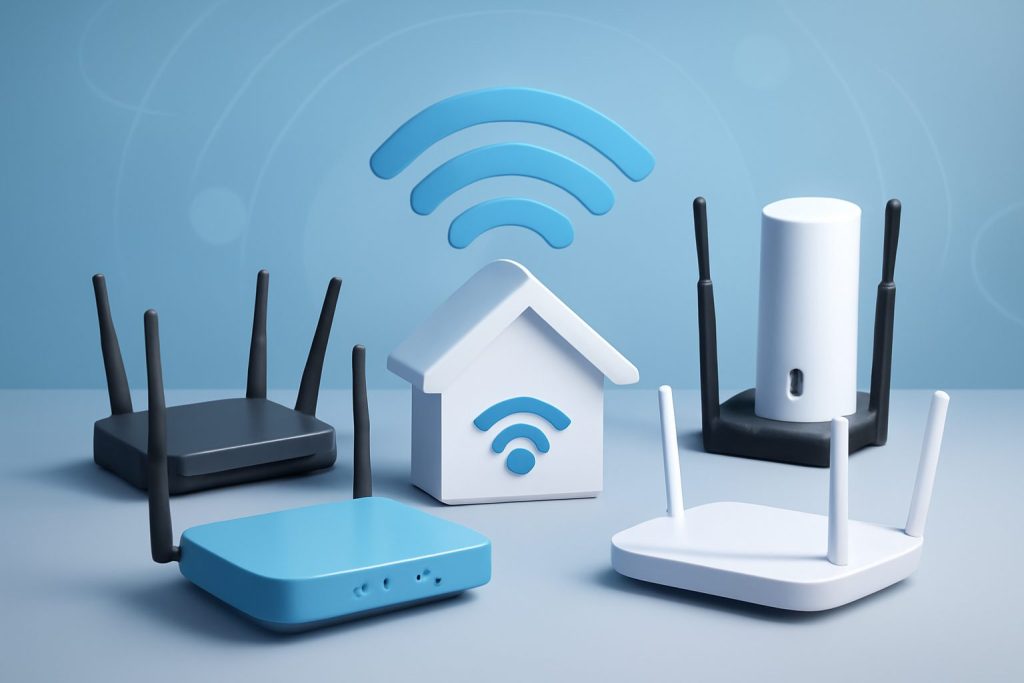
Top 5 Best Wireless Routers for Home Use in 2026: Comparison and Buying Guide
Choosing the right wireless router is critical in 2026 as more devices demand faster, more reliable, and secure internet connections. With advancements like Wi-Fi 6 and Wi-Fi 6E, today’s routers offer unprecedented speed and coverage, but picking the best one for your home can be overwhelming. This guide compares the top 5 wireless routers released recently, focusing on their speed, range, security, and overall value to help you make an informed decision.
Understanding Wireless Router Standards in 2026
Wireless router technology evolves rapidly. The most relevant standards today include Wi-Fi 6 (802.11ax) and Wi-Fi 6E, an extension of Wi-Fi 6 that operates in the 6 GHz band, providing additional channels and less interference. These standards significantly improve throughput, reduce latency, and enhance network efficiency compared to older Wi-Fi 5 (802.11ac) routers.
Choosing a modern router supporting these standards ensures compatibility with the latest devices and future-proofs your home network.
For more details on Wi-Fi standards, visit the Wi-Fi Alliance official site.
Top 5 Wireless Routers for Home Use in 2026: Detailed Comparison
| Router Model | Wi-Fi Standard | Max Speed | Range | Security Features | Price Range |
|---|---|---|---|---|---|
| Asus ROG Rapture GT-AXE16000 | Wi-Fi 6E | Up to 16,000 Mbps | Excellent (Large Homes) | WPA3, AiProtection Pro, VPN Support | High |
| Netgear Nighthawk RAXE500 | Wi-Fi 6E | Up to 10,800 Mbps | Very Good (Medium to Large Homes) | WPA3, Netgear Armor Security, VPN | High |
| TP-Link Archer AX90 | Wi-Fi 6 | Up to 6,600 Mbps | Good (Medium Homes) | WPA3, HomeCare Security Suite | Mid |
| Linksys MR9600 | Wi-Fi 6 | Up to 6,000 Mbps | Good (Medium to Large Homes) | WPA3, Automatic Firmware Updates | Mid |
| Google Nest Wifi Pro | Wi-Fi 6E | Up to 5,400 Mbps | Very Good (Mesh for Large Homes) | WPA3, Automatic Security Updates | Mid to High |
1. Asus ROG Rapture GT-AXE16000
Asus’s flagship router is a powerhouse designed for gamers and power users. It supports tri-band Wi-Fi 6E delivering speeds up to 16 Gbps and excellent range suitable for large homes or demanding environments. Security is robust with AiProtection Pro powered by Trend Micro, offering advanced threat detection and parental controls.
2. Netgear Nighthawk RAXE500
The RAXE500 combines Wi-Fi 6E performance with a sleek design and strong security features like Netgear Armor, which provides network-wide cyber threat protection. It covers medium to large homes with reliable speed and stable connections.
3. TP-Link Archer AX90
A great mid-range option, the Archer AX90 offers Wi-Fi 6 speeds and solid coverage for medium-sized homes. TP-Link’s HomeCare suite provides antivirus, parental controls, and QoS to optimize your network’s security and performance.
4. Linksys MR9600
This dual-band Wi-Fi 6 router balances speed and coverage well. Its easy setup and automatic firmware updates enhance security, making it suitable for users wanting a reliable, no-fuss solution.
5. Google Nest Wifi Pro
Google’s mesh router supports Wi-Fi 6E and is perfect for large or multi-story homes requiring seamless coverage. It integrates well with smart home devices and provides automatic security updates, combining ease of use with modern features.
How to Choose the Best Wireless Router for Your Home in 2026
When selecting a wireless router, consider the following factors:
- Wi-Fi Standard: Opt for Wi-Fi 6 or 6E routers to future-proof your network and enjoy faster speeds and lower latency.
- Speed Requirements: Match router speed to your internet plan and usage. Higher speeds benefit gamers, streamers, and smart homes with many connected devices.
- Coverage Area: Larger homes may require routers with extended range or mesh systems to eliminate dead zones.
- Security Features: Look for WPA3 encryption, automatic firmware updates, and built-in firewalls to keep your network safe.
- Value for Money: Balance features and price. High-end routers offer premium features but mid-range models often meet most home needs effectively.
For detailed setup guidance and optimization tips, check out our Networking category.
Summary and Final Recommendations
In 2026, Wi-Fi 6E routers dominate the market, delivering exceptional speed and range with enhanced security. If you require top-tier performance and have a large home or multiple heavy-usage devices, the Asus ROG Rapture GT-AXE16000 or Netgear Nighthawk RAXE500 are excellent choices.
For medium-sized homes or budget-conscious buyers, the TP-Link Archer AX90 or Linksys MR9600 offer solid performance and security without premium pricing. If you prefer a mesh system with seamless coverage and smart home integration, the Google Nest Wifi Pro is a user-friendly option.
Learn more about wireless router reviews and recommendations at CNET’s Best Wireless Routers and TechRadar’s Wireless Router Guide.
Pros and Cons of Wi-Fi 6 and Wi-Fi 6E Routers
| Pros | Cons |
|---|---|
|
|
Quick Checklist Before Buying
- Confirm your internet plan speed to match router capabilities.
- Measure your home size to determine coverage needs.
- Check device compatibility with Wi-Fi 6 or 6E.
- Evaluate security features and firmware update policies.
- Consider ease of use and setup based on your technical comfort.
- Compare warranty and customer support options.
Frequently Asked Questions (FAQ)
1. What is the difference between Wi-Fi 6 and Wi-Fi 6E?
Wi-Fi 6E extends Wi-Fi 6 by adding the 6 GHz frequency band, which provides more channels and less interference, resulting in faster speeds and lower latency. However, Wi-Fi 6E devices are newer and may be more expensive.
2. Do I need a Wi-Fi 6 or 6E router if my internet plan is slower?
Even if your internet speed is modest, Wi-Fi 6/6E routers improve local network efficiency, reduce congestion, and enhance performance for multiple devices, making them worthwhile investments.
3. How can I improve coverage in a large home?
Consider mesh Wi-Fi systems or routers with multiple antennas and high-power radios. Placing the router centrally and minimizing obstructions also helps.
4. Are security features like WPA3 important?
Yes, WPA3 provides stronger encryption than previous standards, protecting your network from unauthorized access and cyber threats.
5. Can I use a Wi-Fi 6E router with older devices?
Yes, Wi-Fi 6E routers are backward compatible with older Wi-Fi devices, but older devices won’t benefit from the new 6 GHz band features.
6. What is the typical lifespan of a wireless router?
Routers generally last 3-5 years, but upgrading sooner might be beneficial to take advantage of new standards and enhanced security.
Buyer’s Guide: How to Decide on the Best Router for Your Home
Choosing the right wireless router involves balancing several key factors:
- Performance Needs: Identify how many devices connect regularly and the types of activities (streaming, gaming, remote work).
- Home Size and Layout: Larger or multi-story homes often need routers with strong range or mesh solutions.
- Budget: Decide how much you’re willing to invest. High-end routers offer premium features but mid-tier models provide excellent value.
- Security: Prioritize routers with up-to-date security protocols and automatic updates.
- Ease of Use: Consider routers with user-friendly apps and setup wizards if you’re not tech-savvy.
- Brand Reputation and Support: Reliable customer support and warranty can save headaches down the line.
Reviewing these criteria alongside our detailed router comparisons will help you select the ideal wireless router to meet your home networking needs in 2026.
For more on home networking, visit our Home Networking guides at TrustedTechSpot.
