
How to Choose the Best 5G Router for Home Use in 2026: A Comprehensive Guide
With the rapid evolution of 5G technology, 2026 brings unprecedented opportunities for home internet users seeking faster, more reliable wireless connectivity. Choosing the right 5G router is essential to unlock the full potential of next-generation networks. This guide will walk you through the latest advancements in 5G, key features to consider, a detailed comparison of top 5G routers for home use, and practical steps to set up and optimize your device.
TL;DR
- 5G routers in 2026 leverage enhanced network standards for gigabit speeds and ultra-low latency.
- Look for key features such as Wi-Fi 6E/7 support, multi-band capabilities, strong security, and easy setup.
- Top models include the Netgear Nighthawk M6 Pro, ASUS ROG Rapture GT-AXE11000, and TP-Link Deco X100-5G.
- Setting up your 5G router involves SIM activation, network configuration, and firmware updates.
- Optimizing placement, channel selection, and security settings enhances your home network performance.
Understanding 5G Technology Advancements in 2026
The 5G ecosystem has matured significantly by 2026, with standards defined by the 3rd Generation Partnership Project (3GPP) enabling faster throughput, improved spectrum efficiency, and lower latency. Key advancements include:
- 5G NR Release 18: The latest release introduces enhanced mobile broadband (eMBB) and ultra-reliable low-latency communications (URLLC), supporting multi-gigabit speeds.
- Wi-Fi 7 Compatibility: Many 5G routers now support Wi-Fi 7, offering higher throughput, reduced latency, and better handling of multiple devices.
- Improved Beamforming & MIMO Technologies: These enhance signal quality and coverage inside homes, especially in dense urban environments.
These technological improvements mean home users can now enjoy seamless 4K/8K streaming, low-latency gaming, and robust smart home connectivity.
Key Features to Look for in a 5G Router in 2026
When selecting a 5G router for your home, consider the following features to ensure optimal performance and future-proofing:
1. Network Compatibility and Bands
Ensure the router supports the 5G bands used by your carrier in your region. Look for support of both mmWave for ultra-fast speeds and sub-6 GHz for better coverage.
2. Wi-Fi Standards
Wi-Fi 6E and the emerging Wi-Fi 7 standards provide higher throughput, increased capacity, and improved latency. A router with these standards will better handle multiple connected devices.
3. Multi-Band and Dual WAN Support
Routers offering simultaneous 2.4 GHz, 5 GHz, and 6 GHz bands allow better distribution of devices and reduce network congestion. Dual WAN support enables fallback to wired broadband if 5G signal drops.
4. Security Features
Look for WPA3 encryption, built-in VPN support, automatic firmware updates, and robust firewall settings to protect your home network.
5. Ease of Setup and Management
Modern routers often come with user-friendly mobile apps or web interfaces for easy configuration, monitoring, and parental controls.
6. Antenna Design and Coverage
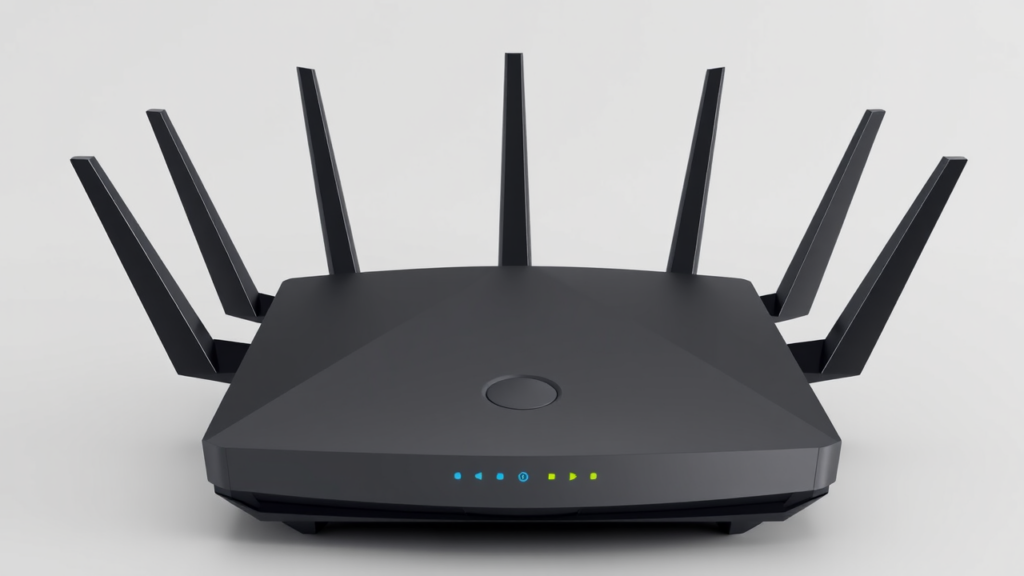
Consider routers with external high-gain antennas or beamforming technology to improve indoor coverage, especially in larger homes.
7. Price and Warranty
Balance your budget with features. Higher-end models offer faster speeds and advanced features but come at a premium. Check warranty and customer support quality.
Comparison of Top 5G Routers Available in 2026
| Router Model | 5G Bands Supported | Wi-Fi Standard | Max Speed | Key Features | Approximate Price Range |
|---|---|---|---|---|---|
| Netgear Nighthawk M6 Pro | Sub-6 GHz, mmWave | Wi-Fi 6E | Up to 3 Gbps | 5G+Wi-Fi 6E, 7 external antennas, mobile app control | Mid-High |
| ASUS ROG Rapture GT-AXE11000 | Sub-6 GHz | Wi-Fi 7 | Up to 5.4 Gbps | Tri-band Wi-Fi 7, gaming optimizations, robust security | High |
| TP-Link Deco X100-5G | Sub-6 GHz | Wi-Fi 6E | Up to 3.6 Gbps | Mesh networking, parental controls, easy setup | Mid |
| Inseego W240 5G Router | Sub-6 GHz, mmWave | Wi-Fi 6E | Up to 4 Gbps | Compact design, multiple Ethernet ports, VPN support | Mid |
For a more detailed review and updated pricing, visit trusted review sites such as CNET’s Best 5G Routers and TechRadar’s 5G Router Guide.
Step-by-Step Guide to Setting Up a 5G Router at Home
- Check Network Compatibility: Confirm your 5G service provider supports the router’s bands and features.
- Insert SIM Card: Power off the router and insert the 5G SIM card into the designated slot.
- Power On and Connect: Turn on the router and connect to its default Wi-Fi network or via Ethernet.
- Access Router Interface: Open a browser and navigate to the router’s IP address (commonly 192.168.1.1).
- Configure Network Settings: Enter your carrier APN details if required, set Wi-Fi SSID and password, and configure security settings.
- Update Firmware: Check for the latest firmware updates to ensure security and performance improvements.
- Optimize Settings: Enable advanced features such as QoS, beamforming, or parental controls as needed.
Tips for Optimizing 5G Router Performance
- Optimal Placement: Place the router near windows or higher locations to maximize 5G signal reception.
- Use External Antennas: If supported, attach high-gain external antennas to improve signal strength.
- Channel Selection: Manually select less congested Wi-Fi channels using the router’s app or interface.
- Secure Your Network: Enable WPA3 encryption and change default passwords to prevent unauthorized access.
- Regular Firmware Updates: Keep your router’s firmware up to date for security patches and feature enhancements.
- Monitor Connected Devices: Limit bandwidth-heavy devices during peak times using QoS settings.
Frequently Asked Questions (FAQ)
1. Is a 5G router better than a traditional broadband router?
5G routers provide wireless internet directly from cellular networks, offering flexible deployment without cables. They can deliver faster speeds and lower latency in areas with strong 5G coverage compared to some traditional broadband options.
2. Can I use a 5G router with my existing internet plan?
Only if your internet service provider supports 5G or offers a 5G data plan. Otherwise, you will need a compatible 5G SIM card or plan for the router.
3. What is the difference between sub-6 GHz and mmWave 5G bands?
Sub-6 GHz offers wider coverage and better penetration indoors but at moderate speeds. mmWave provides ultra-high speeds but has limited range and poor indoor penetration.
4. How many devices can a 5G router support?
Modern 5G routers with Wi-Fi 6/7 can support dozens of devices simultaneously, ideal for smart homes with multiple gadgets.
5. Do I need a professional to set up a 5G router?
Most 5G routers are designed for easy self-installation with step-by-step instructions and mobile app support. However, professional help can be useful for complex network setups.
6. How often should I update my 5G router’s firmware?
Check for updates monthly or enable automatic updates to ensure your router has the latest security patches and performance improvements.
Buyer’s Guide: Making the Right Choice for Your Home
Choosing the best 5G router in 2026 depends on your specific needs, budget, and home environment. Consider the following decision criteria:
- Coverage Area: Larger homes may benefit from mesh-capable routers or models with external antennas.
- Speed Requirements: For heavy streaming, gaming, or remote work, prioritize routers supporting Wi-Fi 7 and mmWave 5G.
- Budget Constraints: Mid-range models often balance performance and cost effectively.
- Carrier Compatibility: Verify supported 5G bands and network compatibility with your provider.
- Security and Future Proofing: Opt for routers with advanced encryption and upgradable firmware.
- Ease of Use: Consider routers with intuitive apps and good customer support.
For further insights on networking devices and detailed product reviews, explore related articles on TrustedTechSpot Networking and our How-To Guides.
By understanding the latest 5G advancements and carefully evaluating router features, you can confidently select a 5G router that delivers fast, reliable, and secure internet for your home in 2026.
