
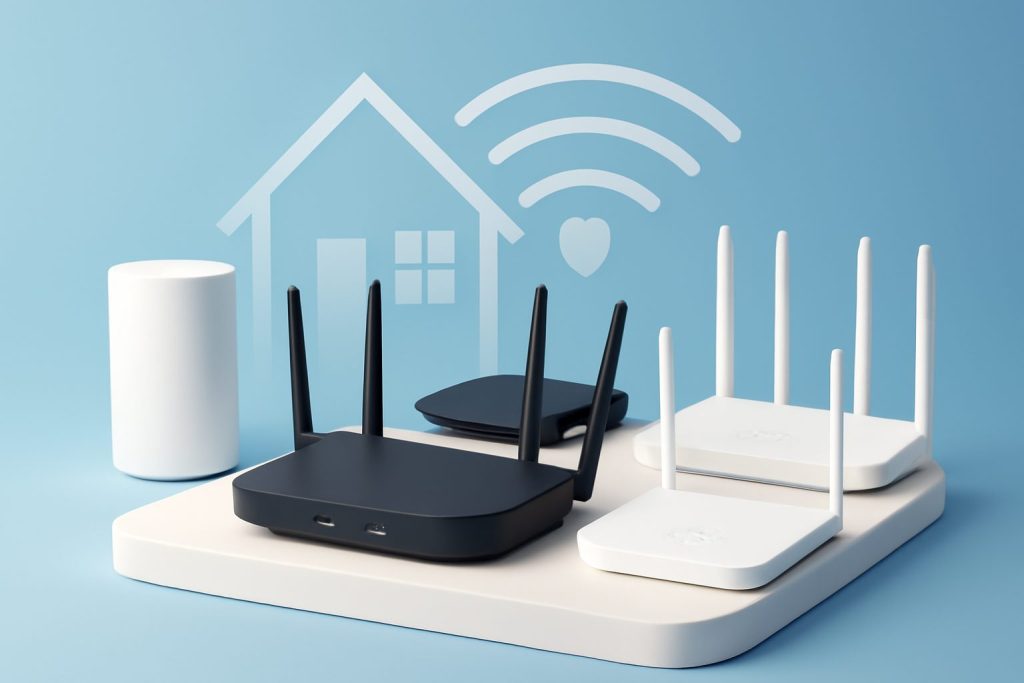
Top 5 Best Wireless Routers for Home Use in 2024: Detailed Comparison and Buying Guide
In today’s connected world, a reliable wireless router is the backbone of any home network. Whether you’re streaming 4K videos, gaming online, or managing smart home devices, choosing the right router can make a huge difference in speed, coverage, and security. This comprehensive guide covers the best wireless routers for home use in 2024, comparing their features and helping you make an informed decision.
Why a Good Wireless Router Matters in 2025
Wireless routers act as the central hub that connects your home devices to the internet. According to Cisco’s official explanation, routers manage data traffic between your local network and the internet, ensuring efficient and secure communication.
In 2025, with the increasing number of connected devices and bandwidth-heavy applications, your choice of router directly impacts browsing speed, latency, and network reliability.
Key Features to Consider When Buying a Wireless Router in 2024
- Wi-Fi Standard: Look for routers supporting Wi-Fi 6 (802.11ax) or Wi-Fi 6E for improved speed, reduced congestion, and better performance in crowded environments.
- Speed: Measured in Mbps or Gbps, higher speeds support faster downloads and smoother streaming. Understand the difference between theoretical maximum speeds and real-world throughput.
- Coverage Range: Consider the size of your home and router’s range. Mesh systems can be ideal for larger homes or multi-level houses.
- Security Features: WPA3 encryption, built-in firewalls, and automatic firmware updates protect your network from cyber threats. Learn more about Wi-Fi security from the Wi-Fi Alliance.
- Number of Bands: Dual-band (2.4 GHz and 5 GHz) or tri-band routers offer better performance by distributing devices across frequencies.
- Ports and Connectivity: Look for sufficient Ethernet ports, USB ports, and support for the latest standards like multi-gig Ethernet if needed.
- Price vs. Features: Balance your budget with the essential features you need. Higher price usually means better performance but doesn’t always guarantee the best fit for your home.
Top 5 Wireless Routers for Home Use in 2024: In-Depth Comparison
| Router Model | Wi-Fi Standard | Max Speed | Coverage | Security | Price Range |
|---|---|---|---|---|---|
| Asus RT-AX88U | Wi-Fi 6 (802.11ax) | Up to 6 Gbps | Up to 5,000 sq ft | WPA3, AiProtection Pro | Mid to High |
| Netgear Nighthawk RAXE500 | Wi-Fi 6E (802.11ax) | Up to 10.8 Gbps | Up to 3,500 sq ft | WPA3, Netgear Armor | High |
| TP-Link Archer AX73 | Wi-Fi 6 (802.11ax) | Up to 5.4 Gbps | Up to 3,800 sq ft | WPA3, HomeCare Security | Mid |
| Google Nest Wifi Pro | Wi-Fi 6E (802.11ax) | Up to 5.4 Gbps | Up to 4,400 sq ft (mesh) | WPA3, automatic updates | Mid to High |
| Linksys MR7500 Atlas Max 6E | Wi-Fi 6E (802.11ax) | Up to 7.8 Gbps | Up to 3,000 sq ft | WPA3, Linksys Shield | High |
Detailed Breakdown
Asus RT-AX88U
This router offers excellent range and top-tier Wi-Fi 6 performance, making it a great choice for larger homes. Its AiProtection Pro powered by Trend Micro offers robust security. The eight LAN ports are ideal for wired connections to gaming rigs or smart TVs.
Netgear Nighthawk RAXE500
Featuring Wi-Fi 6E, the RAXE500 supports the new 6 GHz band for less interference and ultra-fast speeds. It’s perfect for tech enthusiasts with high bandwidth needs. The price is on the higher end, but the performance and security features like Netgear Armor make it worthwhile.
TP-Link Archer AX73
Balancing cost and performance, the Archer AX73 is a solid mid-range router. It supports Wi-Fi 6 with good speed and coverage, plus TP-Link’s HomeCare security suite. It’s a great pick for most average-sized homes.
Google Nest Wifi Pro
Designed as a mesh system, this router excels in providing seamless coverage across larger or multi-level homes. It supports Wi-Fi 6E and is easy to set up with automatic security updates. Ideal for users seeking simplicity and smart home integration.
Linksys MR7500 Atlas Max 6E
The Atlas Max 6E combines Wi-Fi 6E speed with a mesh network design. It offers robust parental controls and security through Linksys Shield. This router is suitable for busy households with many connected devices.
How to Set Up and Optimize Your Wireless Router for Best Results
- Placement: Position your router centrally and elevated to maximize coverage. Avoid placing it near thick walls or appliances that cause interference.
- Change Default Credentials: For security, always change the default admin username and password.
- Enable WPA3 Encryption: Use the latest security protocol to protect your network against intrusions.
- Update Firmware Regularly: Check for manufacturer updates that patch vulnerabilities and improve performance.
- Separate SSIDs: Create separate networks for guests or IoT devices to isolate traffic and improve security.
- Use Quality of Service (QoS): Prioritize bandwidth for critical devices like work laptops or gaming consoles.
- Consider Mesh Extenders: For larger homes, add mesh nodes to eliminate dead zones.
For detailed setup guides and optimization tips, visit our Networking category.
Pros and Cons Summary of Top 5 Wireless Routers
| Router | Pros | Cons |
|---|---|---|
| Asus RT-AX88U | Excellent range, strong security, many LAN ports | Bulky design, higher price |
| Netgear Nighthawk RAXE500 | Supports Wi-Fi 6E, ultra-fast speeds, advanced security | Expensive, shorter range compared to mesh |
| TP-Link Archer AX73 | Affordable, reliable performance, good security | No Wi-Fi 6E support, fewer advanced features |
| Google Nest Wifi Pro | Easy setup, mesh coverage, automatic updates | Limited advanced customization, pricier mesh system |
| Linksys MR7500 Atlas Max 6E | Wi-Fi 6E mesh, good parental controls, strong security | Costly, setup can be complex for beginners |
TL;DR
For most home users, the Asus RT-AX88U offers a great balance of speed, range, and security. If you want cutting-edge Wi-Fi 6E and ultra-fast speeds, the Netgear Nighthawk RAXE500 and Linksys MR7500 Atlas Max 6E are excellent choices. For mesh networking and ease of use, consider the Google Nest Wifi Pro. Budget-conscious buyers will find the TP-Link Archer AX73 a reliable and affordable option.
Frequently Asked Questions (FAQ)
1. What is the difference between Wi-Fi 6 and Wi-Fi 6E?
Wi-Fi 6E extends Wi-Fi 6 by adding the 6 GHz frequency band, offering less interference and higher speeds in supported devices. Wi-Fi 6 operates on 2.4 GHz and 5 GHz bands only.
2. How often should I update my router’s firmware?
Check for updates monthly or enable automatic updates if available. Firmware updates fix security vulnerabilities and improve performance.
3. Can I use a mesh system with my existing router?
Yes, many mesh systems can be configured in bridge mode to work with your existing router, but replacing the old router often yields better results.
4. Is WPA3 encryption necessary for home networks?
WPA3 offers stronger security than WPA2 and is recommended to protect your network from modern cyber threats.
5. How do I improve Wi-Fi coverage in a large home?
Consider placing your router centrally, using mesh Wi-Fi systems, or adding Wi-Fi extenders to eliminate dead zones.
6. Are wired connections better than wireless?
Wired Ethernet connections provide more stable and faster speeds, ideal for gaming or streaming devices, but wireless offers convenience and mobility.
Buyer’s Guide: How to Choose the Best Wireless Router for Your Home
When selecting a wireless router, consider these key criteria:
- Home Size and Layout: Larger or multi-story homes benefit from mesh systems or routers with stronger range.
- Number of Devices: More devices require routers that handle multiple connections efficiently, like Wi-Fi 6/6E models.
- Internet Speed: Match your router’s max speed to your internet plan to avoid bottlenecks.
- Security Needs: Look for WPA3 support and built-in security suites to protect your network.
- Budget: Identify must-have features and balance them with your price range.
- Future Proofing: Investing in Wi-Fi 6/6E routers ensures compatibility with upcoming devices and standards.
For more networking equipment reviews and guides, explore our Reviews section and How-To Guides.
Choosing the right wireless router in 2025 means balancing speed, coverage, security, and price to fit your unique home setup. With this guide, you’re well-equipped to make a confident choice and enjoy fast, secure, and reliable Wi-Fi all year round.
