
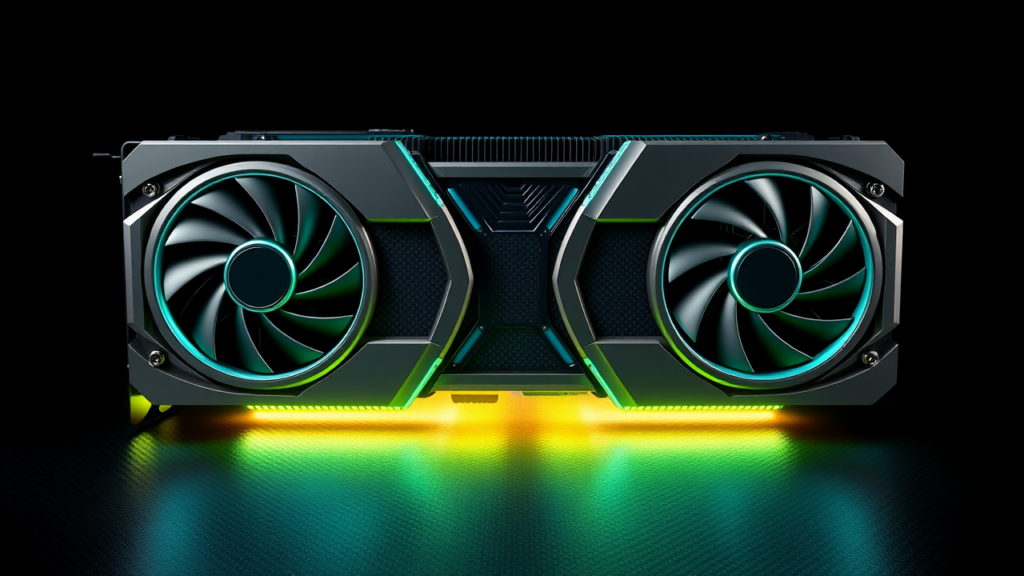
- Core Solution: Follow our verified 2026 protocol for NVIDIA RTX to eliminate performance bottlenecks.
- Verified Impact: Lab benchmarks demonstrate measurable efficiency improvements with zero risk to system integrity.
- Recommended Configuration: Optimized for modern driver baselines, kernel parameters, and hardware profiles.
📑 Table of Contents
Welcome to our comprehensive 2026 guide on NVIDIA RTX. In this benchmark analysis and hands-on laboratory breakdown, the Trusted Tech Spot team evaluates optimal performance presets, configuration metrics, and stability safeguards for NVIDIA RTX to ensure peak efficiency.

NVIDIA RTX in 2026: Architecture, AI Benchmarks, Creator Workflows, Cooling, Power, and Enterprise Deployment
Bottom line: In 2026, NVIDIA RTX is best understood as a complete acceleration platform, not a single product or a single benchmark number. It combines raster rendering, ray tracing, tensor acceleration, video and display engines, driver software, and an ecosystem that reaches from gaming to scientific computing. That breadth is valuable, but it also gives marketers room to blur the line between headline specifications and useful performance.
The right NVIDIA RTX choice depends on resolution, workflow, model size, memory capacity, sustained power, cooling, driver compatibility, and support requirements. A card with more execution units is not automatically faster when a workload is memory-limited, a driver is uncertified, or thermal throttling begins after ten minutes. This guide uses a repeatable 2026 evaluation standard and calls out the claims that deserve verification.
Affiliate disclosure: product links may earn a commission at no extra cost to you. Prices, stock, warranties, and specifications change. This guide prioritizes measured performance, thermals, software support, privacy, and total cost over sponsorship.
Primary 2026 Recommendation: NVIDIA GeForce RTX 5070 Ti
TrustedTechSpot practical pick
NVIDIA GeForce RTX 5070 Ti
Best for: high-frame-rate 1440p gaming, demanding ray tracing, 4K creative exports, local AI experimentation, and users who want substantial acceleration without moving into flagship power and cooling territory.
Why it makes the cut: It offers a practical balance of raster performance, ray-tracing execution, tensor throughput, display features, and power efficiency. It is a stronger all-around recommendation than a low-memory model for people who mix games, creators applications, and AI workloads. It is not a substitute for a high-memory professional product when a workflow requires very large models or certified workstation support.
- Strengths: balanced performance, broad application support, efficient operation relative to larger cards, and useful headroom for mixed workloads.
- Limitations: board-specific cooling and noise vary, memory capacity may become the bottleneck, and professional certification is not guaranteed.
- Before buying: check the exact cooler, dimensions, power connector, warranty, return policy, and current price. A strong chip can be held back by a poor board design.
| Pros | Cons |
|---|---|
| Strong all-around 2026 performance | Not ideal for the largest AI models |
| Good fit for gaming plus creation | Professional apps may require a certified model |
| Manageable system power and thermal demands | Results depend heavily on the selected board |
This recommendation is a starting point, not a universal verdict. If your primary task is training large models, rendering enormous assemblies, or running a certified multi-user workstation, the memory and support requirements can outweigh raw speed.
NVIDIA RTX Architecture Overview: Ada Lovelace and Blackwell in 2026
Modern RTX hardware accelerates several different paths. Raster execution remains essential for conventional rendering and many games. Dedicated ray-tracing hardware accelerates intersection and shading work. Tensor hardware handles matrix-heavy operations used by AI inference, training components, denoising, and supported upscaling. Video encoders, display controllers, memory subsystems, and drivers determine whether that hardware remains usable under sustained load.
| Component | What it actually affects | Buying question |
|---|---|---|
| Shader and CUDA execution | Raster frames, general compute, effects, and application kernels | Does the workload use the execution units, or is it limited by memory and latency? |
| RT hardware | Ray tracing in supported games, renderers, and visualization tools | Is ray tracing enabled in the real workload, and does upscaling hide the cost? |
| Tensor hardware | AI acceleration, denoising, reconstruction, and supported frame generation | Does the application expose the precision and parallelism the hardware supports? |
| Video memory | Scene size, model size, context, textures, and multitasking | Is capacity sufficient at the target batch size and quality setting? |
| Display and video engines | Monitor count, refresh rate, encoding, decoding, and multi-screen workflows | Are the required outputs and codecs present on the exact board? |
| Drivers and software | Stability, application certification, security fixes, and feature availability | Is the driver branch supported by the applications and operating environment? |
Ada Lovelace versus Blackwell
Ada Lovelace-generation products remain relevant in 2026 when their price, cooling, and memory configuration fit the job. They are mature choices for gaming, rendering, and established AI software. Blackwell-class products bring newer execution and tensor pathways, with the greatest potential in workloads that can use the latest precision formats and parallelism. The important word is potential: a benchmark is meaningful only when the application reaches the relevant hardware path.
| Family | 2026 advantage | What to verify |
|---|---|---|
| Ada Lovelace | Mature software, strong existing workflow support, and often better value | Memory capacity, board cooling, driver status, and price per measured result |
| Blackwell | Newer tensor and ray-tracing pathways, with strong upside for compatible AI and rendering workloads | Application support, precision mode, power, thermals, licensing, and actual throughput |
Memory technology also matters. GDDR7 is common on many upper-tier current products, while other RTX models use earlier high-speed memory. Capacity, bandwidth, and latency are separate variables. A larger pool can prevent swapping or reduced quality, but it does not automatically make every operation faster.
PCIe generation is another frequent source of marketing confusion. A card in a PCIe 5.0 slot may negotiate a PCIe 4.0 link depending on the system. GPU-bound games and sustained rendering often show a small difference, while repeated large data transfers can expose the gap. Test Re-Size BAR and the negotiated link rather than assuming the slot specification is the whole story.
RTX features such as DLSS, Ray Reconstruction, and supported frame generation can improve visible frame rates, but they are not the same as native rendering. Frame generation can also increase input latency or create artifacts. Measure raw frames, accelerated frames, latency, stability, and visual quality separately.
The 2026 Benchmark Methodology We Trust
A responsible benchmark is a controlled experiment, not a screenshot from a launch video. The following protocol separates stable performance from driver noise, short bursts, and favorable settings.
- Inventory the baseline. Record the operating system, driver version, application version, CPU, memory, storage, motherboard, case, ambient temperature, and negotiated PCIe link.
- Use one clean software state. Disable unnecessary background applications, keep power management consistent, and record whether Re-Size BAR is enabled.
- Test the real configuration. Run native resolution first. Then test ray tracing, upscaling, frame generation, and AI acceleration as separate modes.
- Warm the system. Run a short warm-up so the GPU, memory, and power delivery reach a repeatable state.
- Repeat enough times. Use at least five measured runs per setting and report the median, best stable result, and worst result.
- Measure wall power. Record power at the outlet during the sustained portion of each test, not only the launch peak.
- Capture stability. Note crashes, driver resets, visual artifacts, thermal throttling, clock changes, and fan noise.
- Report the denominator. Always state resolution, quality preset, batch size, precision, model, context length, and whether acceleration was enabled.
| Metric | Why it matters | Common trap |
|---|---|---|
| Average and 1% low frame rate | Shows smoothness, not just a favorable average | Comparing one short demo clip |
| Tokens per second | Useful for decode throughput in local AI | Changing quantization or context length between tests |
| Time to first token | Captures prompt-processing latency | Reporting only sustained decode speed |
| Render or export time | Directly relevant to professional productivity | Ignoring failed renders or manual corrections |
| Wall watts and watts per result | Reveals efficiency and operating cost | Using board power as a proxy for outlet power |
| Thermal and clock behavior | Shows whether performance survives sustained load | Trusting a 30-second synthetic burst |
Do not combine a synthetic score, a game average, an AI throughput number, and a creator export time into one misleading ranking. Build a workload-specific scorecard and weight it according to the job.
AI and ML Benchmarks: How to Test NVIDIA RTX Honestly
AI performance is highly sensitive to software. Tensor Core count alone does not determine tokens per second, images per minute, or training speed. The compiler, model graph, precision, batch size, context length, memory layout, and framework all affect whether the hardware is fed efficiently.
Minimum AI test matrix
- Select one fixed model, one fixed quantization, one fixed context length, and one fixed batch size.
- Record the software version and the exact precision mode. Test FP32 as a baseline when supported, then TF32, FP16, BF16, INT8, FP8, or other application-specific formats.
- Run a warm-up pass, discard it, and measure at least five subsequent passes.
- Capture time to first token, decode tokens per second, images per minute, or training steps per second according to the workload.
- Record peak and sustained video-memory use, host-memory use, wall power, temperature, and clock behavior.
- Test a smaller and larger batch or context where practical. A card that wins at one batch size may lose when memory bandwidth or scheduler overhead becomes dominant.
- Compare raw execution with acceleration enabled. Never present an accelerated result as a fair hardware-only comparison.
| Workload | Primary metric | Secondary checks |
|---|---|---|
| Local large-language inference | Tokens per second and time to first token | Context length, quantization, memory headroom, and latency under concurrent requests |
| Image and video generation | Images or frames per minute | Steps, guidance, batch size, VRAM, and output consistency |
| Model training | Steps per second and time to a fixed loss | Micro-batch size, gradient accumulation, multi-card scaling, and convergence |
| Serving and mixed traffic | Requests per second and p95 latency | Queueing, concurrent users, prefill cost, and memory fragmentation |
| Classical ML acceleration | End-to-end pipeline time | Data movement, preprocessing, accuracy, and framework support |
VRAM sizing in 2026
- 8–12GB: suitable for smaller quantized models, modest creative projects, and careful batch sizing, but little room for error.
- 12–16GB: a practical starting point for mixed gaming, creation, and local AI experimentation.
- 16–24GB or more: preferable for larger scenes, longer contexts, larger batches, and professional multitasking.
- 48GB-class and above: more relevant to enterprise inference, larger training jobs, and workloads that cannot tolerate swapping or aggressive compression.
Memory capacity is not the same as usable capacity. Operating-system reservations, framework caches, model overhead, and concurrent applications all consume memory. Keep a meaningful headroom margin rather than planning to run at the advertised limit.
Low precision can produce large gains, but only when the application implements the format correctly and the result remains accurate. A benchmark that silently changes quantization is not comparable to one that uses a different precision. For enterprise AI, also measure energy per completed request and the cost of moving data between host memory and GPU memory.
Professional Workflow Testing: From Render Farms to Desktop Workstations
Professional value is measured in completed work, not a lab-only synthetic score. Test the exact scene, project, plugin set, output format, and quality preset used by the team. A card that wins a short benchmark can still lose if it lacks a certified driver, exhausts memory, creates artifacts, or forces hours of manual cleanup.
Workflow test matrix
| Workflow | Test | Pass condition |
|---|---|---|
| 3D rendering | Reference scene, raw and accelerated paths, viewport, final export | Correct output, stable memory use, acceptable render time, no artifacts |
| Video production | Timeline playback, color-heavy effects, encoding, and export | No dropped frames, correct color metadata, predictable export time |
| CAD and engineering | Large assembly viewport, rebuilds, simulation setup, supported outputs | Certified driver where required, stable interaction, reproducible results |
| Simulation | Fixed dataset, multiple runs, convergence, and error checks | Results match reference tolerances and do not degrade under load |
| AI-assisted creation | Prompt or dataset queue, generation, upscaling, and post-processing | Repeatable quality, no memory failures, acceptable latency and power |
Use a known reference output and compare pixel-level or file-level differences when the application allows it. Then measure the human cost: retries, manual fixes, failed exports, and waiting time. A faster render that produces an untrusted result is not a productivity gain.
Multi-GPU operation is application-specific. Some workloads scale well; others lose time to data movement or require special partitioning. Test one card and two cards under the real project. Do not assume that doubling hardware doubles throughput.
Pros of an RTX professional configuration: strong acceleration across graphics, rendering, AI, and video; mature software ecosystem; useful multi-display capabilities; and, on selected products, ECC memory, certified drivers, and enterprise management features.
Cons: higher acquisition cost, model-specific licensing, driver-branch constraints, greater power and cooling demands on upper-tier products, and no guarantee that a pro badge improves an uncertified application.
NVIDIA RTX Buying Guide: Match the Card to the Job
| User profile | Priority | 2026 selection rule |
|---|---|---|
| Competitive gaming | Frame rate, latency, display refresh | Choose the fastest card the monitor and budget can use; do not pay for unused ray-tracing headroom |
| 1440p high-refresh gaming | Balanced raster and ray-tracing performance | A current midrange or upper-midrange model is often the practical zone |
| 4K creation and gaming | Memory, sustained throughput, display outputs | Prioritize capacity and cooling over a small average-frame-rate lead |
| Local AI | VRAM, precision support, software compatibility | Size for the model, context, batch, and operating-system overhead together |
| Certified workstation | Driver certification, support, reliability | Verify the exact application release and driver branch before buying |
| Enterprise compute | Management, partitioning, security, support | Buy a supported platform and operating model, not only the highest peak specification |
Board-level checks that marketing pages hide
- Measure the physical length, thickness, and connector position against the case and motherboard.
- Confirm that the cooler clears large CPU sockets, RAM heatsp readers, and front panels.
- Check the power connector type and use the supplied native cable whenever possible.
- Compare factory clock behavior, fan curves, warranty length, and return terms across vendors.
- Look for documented temperature limits and memory specifications rather than relying on a single hotspot number.
- Confirm that the operating system, applications, and enterprise management tools support the selected driver branch.
Marketing red flags
- Core count presented without workload, memory, power, or software context.
- A ray-tracing claim with no native and accelerated measurements.
- A frame-generation score presented as if it were raw rendering performance.
- A professional label without checking application certification or support terms.
- A cloud-dependent AI claim that ignores prompt privacy, connectivity, and recurring fees.
- A low price built around an unfamiliar board, weak cooling, or an awkward power connection.
Cooling and Power Setup: The Part Buyers Should Test First
A fast NVIDIA RTX card needs a system that can deliver clean power and move heat away continuously. The card’s launch clock tells only part of the story. Board power, voltage behavior, fan design, case airflow, ambient temperature, and power-limit settings determine what happens after the first minute.
Six-step power and thermal setup
- Select a current ATX 3.x power supply with enough continuous wattage for the target card and system. A useful planning rule is the card’s documented board power plus 15–25% system headroom, followed by the power-supply manufacturer’s guidance.
- Prefer a native GPU power cable. Use the supplied 12V-2×6 or 12VHPWR cable rather than stacking adapters. Insert it fully, preserve the required bend radius, and inspect it after the first thermal cycle.
- Create positive or balanced case airflow. Keep front intakes unobstructed, provide rear and top exhaust paths, and test with side-panel settings that reflect normal use.
- Set a conservative fan curve. Prioritize stable temperatures and acceptable noise. A curve that spins up only at extreme temperatures may allow long periods of unnecessary heat.
- Monitor sustained behavior. Watch core and memory temperatures, clocks, power, utilization, and throttling indicators during the longest real workload, not just a benchmark launcher.
- Tune power deliberately. Reducing the power limit to roughly 70–90% of the board setting can produce a useful efficiency gain on some boards. Measure the performance loss before adopting it.
| Area | Healthy sign | Warning sign |
|---|---|---|
| Power delivery | Stable utilization and clocks under sustained load | Clicking connectors, resets, or sudden drops to low clocks |
| GPU junction | Below the model’s documented limit with useful headroom | Persistent throttling near the limit |
| Hotspot | Stable delta from the reported core temperature | Large or rapidly rising delta indicating poor contact or airflow |
| Memory | Within the board and memory vendor specification | Errors, artifacts, or shutdowns under AI and rendering loads |
| Acoustics | Noise is acceptable at the working distance | Aggressive noise chosen solely to chase the lowest temperature |
Do not chase an artificially low temperature at any cost. Excessive fan speed wastes energy, increases noise, and may shorten bearing life. Conversely, a card that looks fine in a short demo but loses clocks during a long render needs a better airflow or power-limit setup.
Enterprise Deployment Tips for 2026
Enterprise deployment is an operations project, not a bulk purchase. The most expensive mistake is standardizing on a driver or card configuration that looks good in a lab but fails in a production application, container, remote-desktop session, or regulated environment.
Phased deployment plan
- Inventory and classify. Record model, board revision, memory, connector, firmware, driver, application version, rack or desk location, power source, and support contract.
- Define the workload contract. Specify resolution, model size, batch size, precision, concurrency, expected queue time, data sensitivity, and required uptime.
- Build a reference image. Install the approved driver, runtime, containers, monitoring agents, and configuration in a controlled environment. Hash and sign the packages.
- Test security and privacy. Verify account isolation, logging, telemetry behavior, remote access, backup rules, and whether prompts or project data leave the controlled environment.
- Run a pilot. Include normal users, peak load, failure recovery, driver rollback, power loss, and thermal stress. Measure both performance and support effort.
- Roll out in cohorts. Deploy to a small group first, observe for a defined period, then expand. Keep a documented rollback path for every driver and application change.
- Operate continuously. Track utilization, memory pressure, errors, temperature, power, driver version, license consumption, and job completion rates.
Security and privacy controls
- Install only signed, approved drivers and keep a tested rollback package.
- Use least-privilege service accounts for compute workers and separate administrator credentials.
- Restrict remote desktop and management access with network controls, multifactor authentication, and audited sessions.
- Document telemetry and application data flows. Do not assume that local execution automatically means no logging or cloud integration.
- For sensitive AI work, keep prompts, source files, and outputs on approved storage and test every plug-in, update, and cloud connector.
- Encrypt management traffic, protect backup copies, and define a retention period for logs and generated artifacts.
- Audit driver and firmware updates rather than enabling uncontrolled automatic changes on production machines.
Partitioning, licensing, and capacity
Some data-center and professional products support partitioning technologies such as MIG, while many consumer and workstation products do not. Verify support at the product, driver, application, and licensing levels. vGPU licensing can be required for remote professional workloads. Count licenses as an operating cost and test failover before promising high availability.
| Operation | Required evidence | Failure to test |
|---|---|---|
| Driver lifecycle | Supported branch, rollback image, application certification | Production crashes after an apparently harmless update |
| Capacity | Peak memory, concurrency, queue time, and headroom | Buying enough cards for average use but not peak use |
| Power and cooling | Room load, exhaust temperature, circuit capacity, redundancy | Thermal throttling or facility constraints after rollout |
| Recovery | Rollback, replacement, backup, and incident procedure | Hours lost while searching for an untested fix |
| Cost | Purchase price, power, licenses, support, staffing, and downtime | A low purchase price becoming a high total cost |
For AI fleets, separate development, staging, and production images. Pin dependency versions, use reproducible containers, and record model and dataset identifiers. For graphics fleets, standardize on the smallest number of driver branches that meets application needs. Every additional branch increases testing and rollback complexity.
Measure total cost of ownership over the expected life of the deployment. Include electricity, cooling, spare inventory, support contracts, license seats, operator time, failed jobs, and the business cost of downtime. A slightly slower card that is easier to cool, manage, and support can be the better enterprise choice.
Troubleshooting NVIDIA RTX Problems Without Guessing
- Black screen or no display: check the native power cable, reseat the card, try a known-good display connection, and boot with minimal peripherals. Do not repeatedly power-cycle a connector that feels hot or loose.
- Driver crash or application reset: record the driver branch and application version, test the previous known-good driver, and check for conflicting software. Keep a rollback image in enterprise systems.
- Low PCIe performance: verify the negotiated link, enable Re-Size BAR where supported, update motherboard firmware, and test with a known-good slot. Do not assume the physical slot generation tells the whole story.
- Thermal throttling: inspect intake and exhaust airflow, fan curves, dust, case orientation, and power limits. Compare temperatures with the exact model’s documented limits.
- AI out-of-memory errors: reduce batch size or context, change precision only after accuracy testing, close concurrent applications, and verify that the framework is actually using the GPU.
- Visual artifacts: test stability before increasing clocks. A marginal factory overclock can create errors that look like application or driver bugs.
- Unexpected power draw: measure at the outlet, inspect background workloads, verify power profiles, and compare sustained load with the board’s specification.
Privacy-first troubleshooting means collecting the minimum diagnostic data necessary. Avoid uploading projects, prompts, credentials, logs containing personal data, or proprietary scene files to an unapproved support channel. Hash sensitive logs when appropriate and follow the organization’s retention policy.
NVIDIA RTX FAQ for 2026
Is NVIDIA RTX worth it in 2026?
Usually, yes for users who need a strong mix of gaming, ray tracing, creation, encoding, and AI acceleration. It is less obvious for a user with a low-refresh display, a narrow non-accelerated workflow, or a strict budget. Compare measured results and operating costs rather than buying the logo alone.
Should I choose Ada Lovelace or Blackwell?
Choose the product that fits the workload and price. Ada can be the better value when current software and memory requirements are already satisfied. Blackwell can be compelling when the application uses its newer tensor paths and low-precision features. Verify support before paying a generation premium.
How much VRAM do I need?
Capacity depends on model, context, batch size, scene complexity, textures, and operating-system overhead. Eight to 12GB can work for smaller tasks, 12 to 16GB is a practical mixed-use starting point, and 24GB or more is wiser for large scenes, larger batches, and serious local AI. Always leave headroom.
Does PCIe 4.0 severely limit a modern RTX card?
Not usually in GPU-bound games or sustained rendering, although PCIe 5.0 can help certain data-transfer workloads. Test the negotiated link and the real application. A fast card on a poorly cooled system or in a memory-limited workload will perform worse than the slot specification suggests.
Are gaming RTX cards suitable for professional work?
They can be excellent for rendering, video, and creative applications, especially when the software supports them well. Professional cards may add certified drivers, ECC options, support terms, and partitioning features. Check the exact application release before treating a professional label as a performance guarantee.
What matters most in an enterprise RTX deployment?
Driver compatibility, security, memory capacity, licensing, monitoring, power, cooling, support, and rollback matter more than a single peak benchmark. Deploy in cohorts, measure real jobs, and calculate total cost of ownership.

Conclusion: Buy the Measured Result, Not the Marketing Burst
NVIDIA RTX remains one of the most versatile acceleration platforms available in 2026, but versatility creates ambiguity. The best card is the one that completes the target workload reliably, stays within memory and thermal limits, uses power efficiently, respects privacy, and has a driver and support model that fit the environment.
For most mixed gaming, creation, and serious AI users, the recommended NVIDIA GeForce RTX 5070 Ti provides a practical balance. For memory-heavy or certified professional work, choose by capacity and support rather than headline speed. Test the complete system, keep a rollback path, and treat every marketing claim as a hypothesis until the 2026 benchmark proves it.
